Back up EPUBs and PDFs to your own Google Drive
Read and annotate PDF and EPUB files in your browser, then use Pro to back up the books, highlights, and reading progress that you add to ReadHere in your own Google Drive.
Most people's ebook library ends up in Google Drive by accident. It's where the PDFs land, it's synced everywhere, it's already paid for. Then you try to read one on your phone and hit the wall: Drive previews a PDF but has no idea what to do with an EPUB, and even for the PDF there's no highlighting, no notes, and no memory of where you stopped.
Drive is storage. What's missing is a reader that treats Drive as the backup instead of asking you to hand your library to another company.
Can Google Drive open EPUB files?
Not by itself. Drive can preview a PDF, but when you tap an EPUB it usually offers to download the file or asks which app to use. To read it, download the EPUB from Drive, open ReadHere, and add the file. That part is free and needs no account.
If you want your books to follow you between devices, Pro keeps a ReadHere folder in your Drive and syncs the books and highlights you add there.
How it works
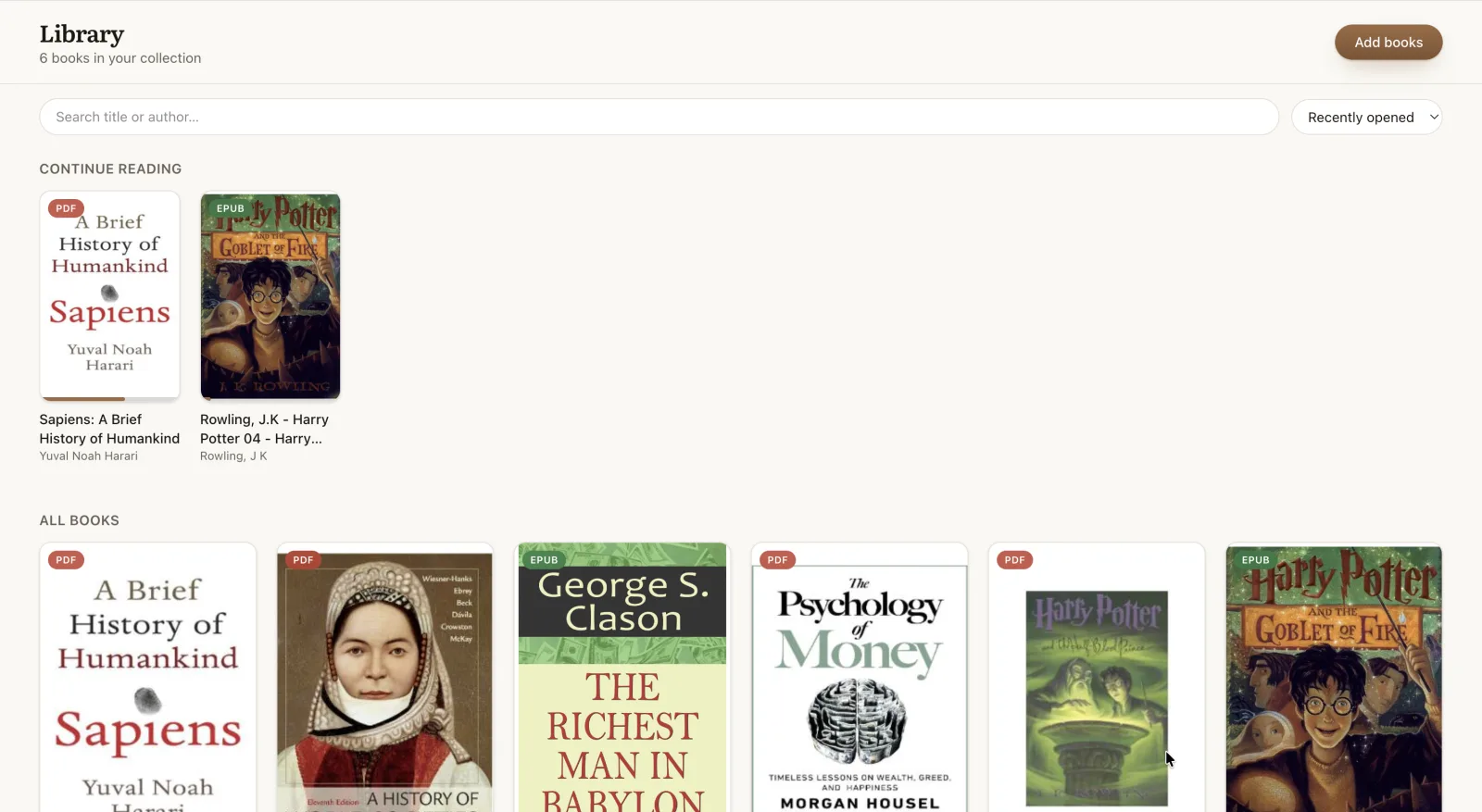
- Open the reader and add your books - drag them in from anywhere, including your Drive folder.
- Read and annotate in the browser. Everything is saved on your device, so it works offline.
- With Pro, each book and its highlights back up to a ReadHere folder in your Google Drive, and your other devices pull them down.
Your Drive, not ours
The distinction that matters: ReadHere has no server holding your books. The backup lands in the Drive account you already own, in a folder you can open and browse like any other.
Access uses Google's drive.file scope, which means the app can only touch files it created itself. Your tax documents, your photos, the rest of your Drive - the app cannot see any of it, by design rather than by promise.
Syncing EPUB and PDF across devices through Drive
Drive already syncs the file. What it cannot sync is everything you did to the file - the highlights, the notes, the page you stopped on. Those live in the reader, and with Pro they travel through the same Drive folder: highlight a chapter on a laptop, open the book on a phone, and the marks are already there.
Because the folder is in your own Drive rather than a company's database, a lost laptop or a cleared browser costs you nothing - sign in on the new device and the library comes back.
What you get that Drive's preview doesn't have
- EPUB and PDF in one reader, with the same tools on both.
- Highlights in four colors and notes tied to the passage they belong to.
- Your place remembered - reopen and land on the line you left.
- Themes and fonts, including a true-black OLED theme for reading at night.
- Offline reading, since books are cached on the device once opened.
- A per-book journal for longer thoughts than a margin note holds.
Free vs Pro
Reading and annotating are free, with no account - books live in your browser's storage on that device. Pro is $10/yr and adds the Drive backup and cross-device sync. If you only ever read on one machine, the free tier is genuinely the whole product.
Related: read an EPUB in your browser, read your books offline, or learn how to open a PDF from Google Drive.
Common questions
Can Google Drive open an EPUB on its own?
Not really. Drive previews PDFs, but an EPUB usually downloads instead of opening, and neither preview lets you highlight, take notes, or keep your reading position.
Does ReadHere read files already in my Drive?
With Pro, ReadHere keeps its own folder in your Drive and syncs the books in it. Books you add on any device land there; add a book once and your other devices pick it up.
What can the app see in my Drive?
Only the ReadHere folder it creates. It uses Google’s drive.file scope, which grants access to files the app itself made - the rest of your Drive stays invisible to it.
What happens to my books if I cancel Pro?
They stay in your Google Drive, in a plain folder you can open, download, or move. Cancelling stops the syncing, not your access.
Is there an EPUB reader for Google Drive?
Yes, ReadHere works as one. For free, download the EPUB from Drive and open it in ReadHere. With Pro ($10/yr), ReadHere keeps its own folder in your Drive and syncs your books and highlights across devices.
Read a book and back it up to your Drive
Add a PDF or EPUB to the reader, then keep your library backed up where you already keep everything else.