How to read EPUB files in your browser
You downloaded an .epub and your computer has no idea what to open it with. Here's how to read it in the browser you already have - free, offline, and without installing anything.
An EPUB is just a small zip file full of HTML - the same stuff web pages are made of. That's good news: a browser is the natural place to read one. You don't need Calibre, you don't need Apple Books, and you definitely don't need to email the file to your Kindle and wait.
With ReadHere you open the book in a tab and start reading. The file stays on your device. It's never uploaded to a server, and once it's open you can keep reading with the wifi off.
Read an EPUB in three steps
- Open the reader. There's no sign-up wall - it loads straight to your library.
- Drag your .epub onto the page (or click to pick it from your files). It's saved right there in the browser.
- Click the cover and read. That's it.
The same thing works for PDFs, so you don't need a second app for your textbooks and papers.
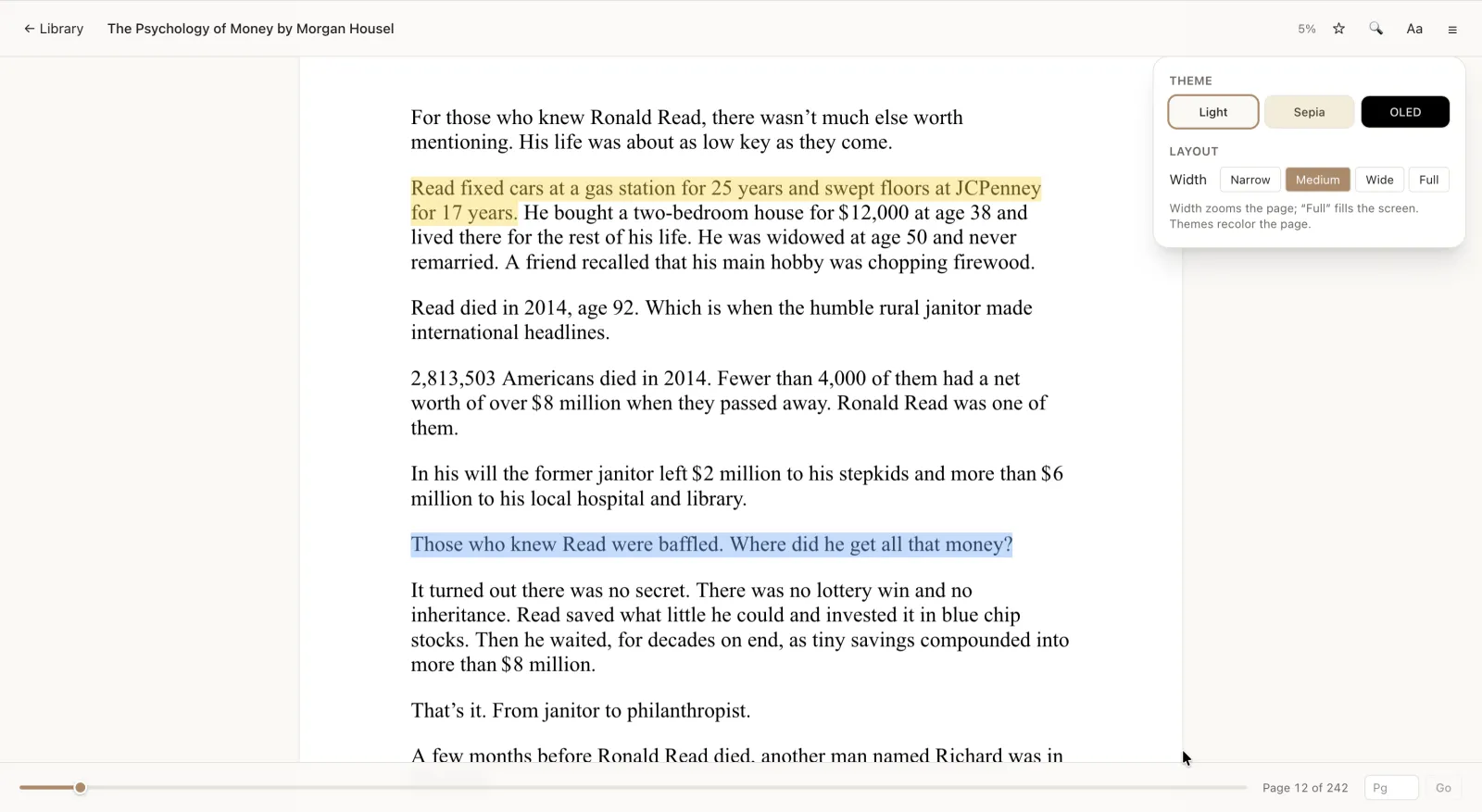
What you get beyond "it opens"
Plenty of sites will render an EPUB in a plain scroll. The point of a real reader is everything around the text:
- Real pages, not an endless scroll. EPUB reflows to fit your screen, with a proper table of contents to jump between chapters.
- It remembers where you stopped. Close the tab mid-chapter and you reopen on the same line, not back at the title page.
- Fonts made for reading. Pick Literata, Lora, or Inter, then set the size and line spacing until a page feels comfortable.
- Light, Sepia, and a true-black OLED theme for reading in bed without searing your eyes.
- Highlights and notes. Mark a passage in one of four colors, attach a note, and keep a per-book journal for longer thoughts.
- Search inside the book to find that one quote you half-remember.
Does it work on my device?
If it runs a modern browser, yes. Windows, Mac, Linux, a Chromebook, an Android phone, an iPad: there's nothing to install from an app store. On a phone you can add ReadHere to your home screen and it opens like a normal app.
Is my file private?
Yes. On the free tier your books live in this browser, on your device, and never leave it. If you turn on Pro ($10/yr), your library backs up to your own Google Drive - not ours - so you stay in control of the files. Reading is free regardless.
Reading on a phone? Follow the Android EPUB guide. Keeping books in Drive? Read the Google Drive ebook-reader guide.
Common questions
Is it really free?
Yes. Reading PDFs and EPUBs is free, with no account required. A paid Pro tier ($10/yr) adds cloud sync, but it never gets in the way of reading.
Do you upload my EPUB anywhere?
No. On the free tier the file is stored in your browser on your device and is never sent to a server.
Can I read on my iPhone or Android phone?
Yes - open it in your phone’s browser, or add it to your home screen to launch it like an app. Your books and notes are saved on that device.
What about DRM-protected EPUBs?
ReadHere reads standard, DRM-free EPUB files. Books locked to a specific store’s app can’t be opened here - that’s a restriction of the DRM, not the reader.
Open your EPUB now
Drag the file in and start reading. Free, offline, nothing to install.