How to read ebooks offline in your browser
A browser tab feels like the last place you'd read on a plane with no wifi. It doesn't have to be. Here's how to read your PDFs and EPUBs completely offline - no connection, no app store.
People assume "in the browser" means "needs the internet." It doesn't. Once a page has loaded the reader and you've opened a book, both are stored on your device. After that, turning off wifi changes nothing - the words are already there.
How offline reading works here
When you add a book, ReadHere saves it into your browser's own storage, right on your device. The reader code is cached too. So the second time you open a book, nothing is downloaded - it's read from local storage and opens instantly, online or off.
You can also install ReadHere to your home screen or dock. Then it launches in its own window, straight to your library, with no address bar and no need to find a tab.
Read offline in three steps
- While you have a connection, open the reader and add your books.
- Open each one once so it's cached on the device.
- Go offline - plane, subway, cabin - and keep reading. Everything's already saved.
What still works with no connection
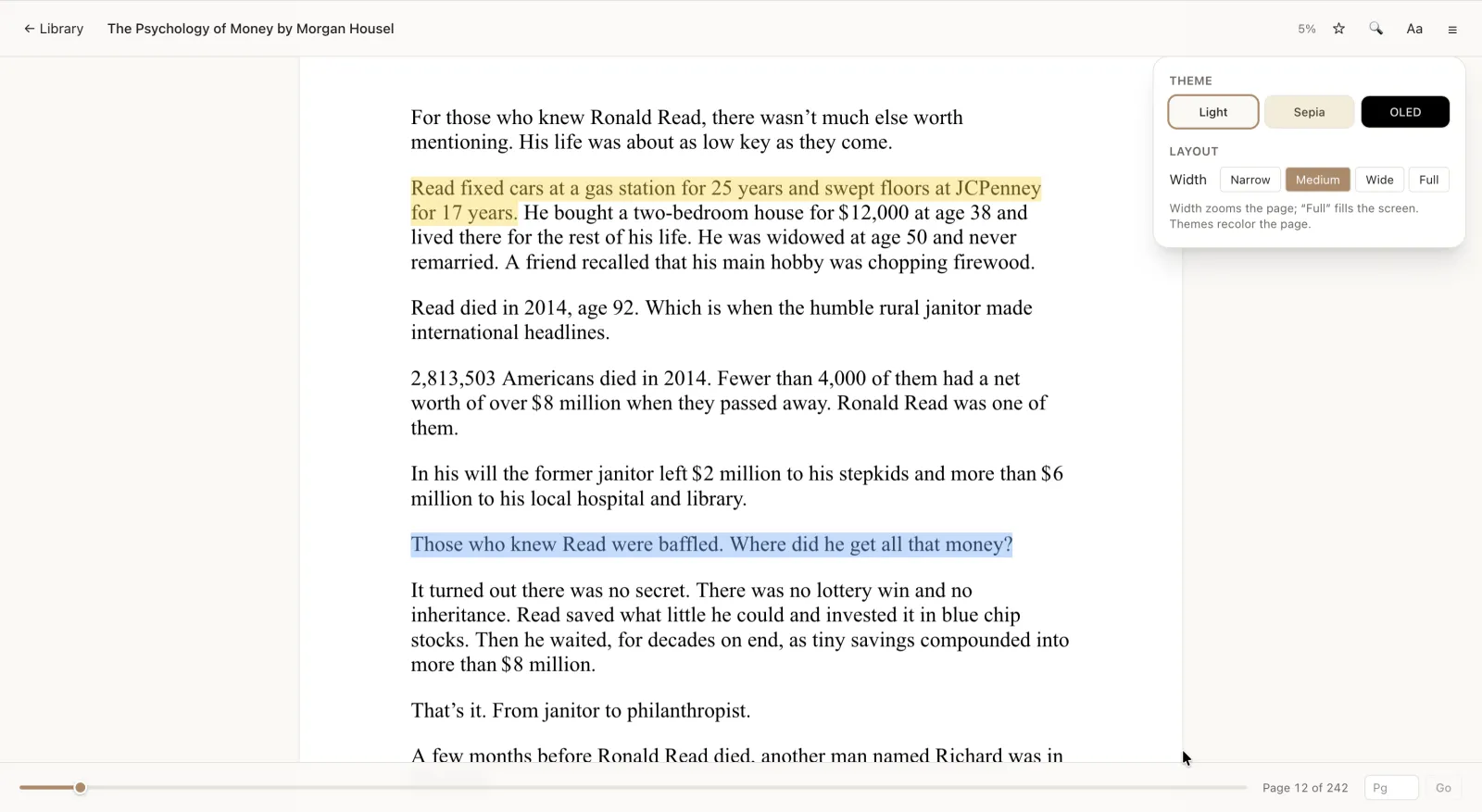
- Turning pages and jumping around the table of contents.
- Highlighting in four colors and writing notes.
- Your per-book journal.
- Switching themes and fonts.
- Picking up exactly where you left off - your place is saved locally.
In other words: the whole reading experience, minus the internet.
Install it like an app
On a phone, use your browser's "Add to Home Screen." On a desktop, look for the install icon in the address bar. It's the same ReadHere, just in its own window - handy for grabbing a few books before a flight and reading them all the way down.
When do you need a connection?
Only twice: the first time you load the reader, and when you first add a book. Everything after that is offline. The optional Pro tier ($10/yr) syncs your library to your own Google Drive so it follows you between devices - that part needs a connection, but plain reading never will. Offline reading is always free.
If your books start in cloud storage, see how to open PDFs from Google Drive or use the Google Drive ebook-reader workflow.
Common questions
Do I need to download an app?
No. It runs in your browser. You can optionally add it to your home screen so it opens in its own window, but there’s nothing to install from an app store.
Will my books disappear if I clear my browser?
Clearing site data removes locally stored books on the free tier, so keep originals or upgrade to Pro ($10/yr), which backs your library up to your own Google Drive.
Does it work on a plane?
Yes. Add and open your books while you’re online, then read them with the connection off - pages, highlights, notes, and your place all work offline.
Are highlights saved offline too?
Yes. Highlights, notes, journals, and your reading position are stored on the device and sync to your screen instantly, no connection required.
Load up before you go offline
Add your books, open them once, and read anywhere - plane, subway, or off the grid.